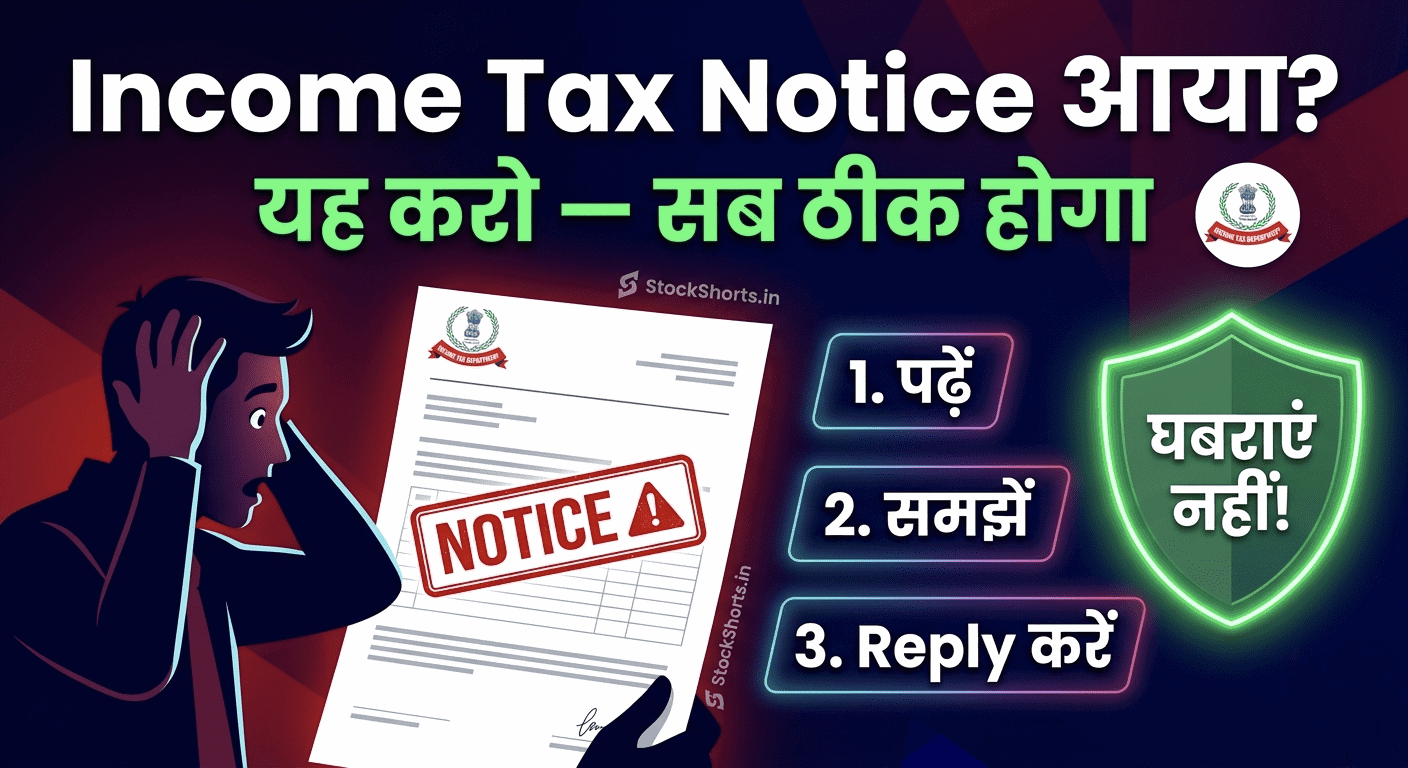
सुबह-सुबह email खोला और Income Tax Department का notice दिखा — दिल की धड़कन बढ़ गई। यह बहुत common reaction है। लेकिन सच यह है कि हर Income Tax Notice घबराने वाली बात नहीं होती। बहुत से notices routine होते हैं — और घर बैठे online reply हो जाती है।
आज हम समझेंगे — income tax notice kya kare — step by step।
💡 इस पोस्ट में क्या जानेंगे:
- Income Tax Notice क्यों आता है — 5 मुख्य कारण
- Notice के Types — कौन सा कितना serious है
- Notice मिलने पर तुरंत क्या करें
- Online Reply कैसे करें — Step by Step
- कब CA की ज़रूरत है — और कब नहीं
Income Tax Notice क्यों आता है — 5 मुख्य कारण
- 📋 ITR में गलती: Calculator error, wrong form, income mismatch
- 💰 High Value Transaction: ₹10 लाख+ FD, property purchase, cash deposit — यह AIS में दिखता है
- 📊 Income Mismatch: Form 26AS और ITR में अलग numbers
- 🏠 Capital Gains नहीं दिखाई: Property या shares बेचे लेकिन ITR में नहीं बताया
- 🔍 Random Scrutiny: CBDT randomly कुछ cases pick करता है — आपकी गलती नहीं
Income Tax Notice के Types — Seriousness Level
| Section | Notice Type | कितना serious | Reply Deadline |
|---|---|---|---|
| Section 143(1) | Intimation — Processing complete | 🟢 Routine — घबराएं नहीं | Reply ज़रूरी नहीं |
| Section 139(9) | Defective Return — ITR में गलती | 🟡 Medium — fix करो | 15 दिन |
| Section 143(2) | Scrutiny Notice | 🟡 Medium | 30 दिन |
| Section 148 | Income Escapement — Reopening | 🔴 Serious — CA लो | Notice में लिखा होगा |
| Section 156 | Demand Notice — Tax भरो | 🔴 Serious — verify करो | 30 दिन |
Notice मिलते ही — तुरंत यह 4 काम करो
Step 1 — Notice ध्यान से पढ़ो:
Section number देखो — ऊपर table से समझो कितना serious है। Deadline note करो — miss मत करो।
Step 2 — PAN और Documents Match करो:
Notice में जो income/transaction mention हो — अपने records से match करो। Form 26AS और AIS incometax.gov.in पर download करो।

Step 3 — Reply Deadline Calendar में डालो:
Deadline miss करना सबसे बड़ी गलती है — reminder set करो।
Step 4 — Notice Email Save करो:
Income Tax portal पर भी notice available होगा — download करके safe रखो।
Section 143(1) — सबसे Common Notice — घबराएं नहीं
यह एक Intimation है — notice नहीं। इसका मतलब है ITR processing complete हो गई।
तीन possibilities होती हैं:

- ✅ “No demand, no refund”: सब ठीक है — कुछ नहीं करना
- ✅ Refund आएगा: खुशखबरी — bank account verify करो
- ⚠️ Tax demand है: Calculate check करो — गलत लगे तो rectification file करो
Online Reply कैसे करें — Step by Step
- incometax.gov.in पर login करें
- “e-Proceedings” → “For your action” section खोलें
- अपना notice find करें → “Submit Response” click करें
- Response type select करें — Agree / Disagree / Partially Agree
- Documents attach करें — bank statements, form 16, etc.
- Submit करें → Acknowledgement number save करें
ध्यान दें: Response submit करने के बाद acknowledgement ज़रूर download करें — proof के लिए।
Common Mistakes — जो मत करो
- ❌ Notice ignore करना: सबसे बड़ी गलती — penalty और action हो सकता है
- ❌ Deadline miss करना: Extension माँगो — लेकिन miss मत करो
- ❌ Fake documents submit करना: Criminal offense है
- ❌ Middlemen को पैसे देना: “Notice fix करवा देंगे” — scam है
कब CA की ज़रूरत है?
- ✅ CA ज़रूरी नहीं: Section 143(1) intimation, simple defective return
- ✅ CA Recommended: Section 143(2) scrutiny, capital gains issues
- ✅ CA ज़रूरी है: Section 148 (Reopening), Section 156 demand notice of large amount, Search & Seizure
Tax Notice से बचने के Tips — Future के लिए
- ✅ हर साल ITR समय पर भरो — July 31 से पहले
- ✅ AIS (Annual Information Statement) हर साल check करो
- ✅ Form 26AS और ITR match करो — file करने से पहले
- ✅ High value transactions — property, FD, shares — ITR में ज़रूर दिखाओ
- ✅ Capital gains — LTCG, STCG — properly declare करो
निष्कर्ष
Income Tax Notice आना मतलब automatically कोई बड़ी problem नहीं। बहुत से notices routine होते हैं और घर बैठे handle हो जाते हैं। सबसे ज़रूरी है — notice पढ़ो, section समझो, deadline note करो, और time पर reply करो। Panic करने की ज़रूरत नहीं — prepared रहने की ज़रूरत है।
Disclaimer: यह article educational purpose के लिए है। Specific tax issues के लिए CA या tax advisor से सलाह लें।